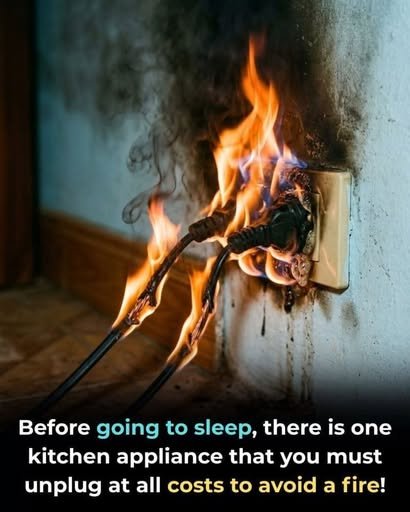
We use electrical appliances every day without giving much thought to what happens after we switch them off. But many household devices continue to draw a small amount of electricity while plugged in, even when they aren’t actively being used.
This standby or “phantom” energy use is usually small for an individual device, but several appliances operating continuously can add up over time. More importantly, unplugging certain devices can reduce unnecessary electrical connections when you’re away from home or during storms and power fluctuations.
Not every appliance needs to be unplugged after every use. Devices such as refrigerators, freezers, and essential medical equipment generally need continuous power. The goal is to identify appliances that are safe and practical to disconnect.
Here are five household appliances and electronics worth considering unplugging when you’re finished using them.
1. Television and Streaming Equipment
Modern televisions can use standby power while switched off. Smart TVs may remain partially active so they can respond to remote controls, network functions, automatic updates, or connected devices.
Streaming boxes, game consoles, and other entertainment equipment can also consume electricity while sitting in standby mode.
What You Can Do
If you don’t need these devices to remain connected overnight, switch them off completely and unplug them or use a properly rated power strip with an on/off switch.
A power strip can make this much easier because several entertainment devices can be disconnected at once.
Extra Benefit
Reducing standby power may help lower unnecessary electricity consumption over the long term.
However, the actual savings depend on the device, its standby power consumption, your electricity rate, and how long it remains plugged in.
2. Computer Monitors and Desktop Computers
Desktop computers, monitors, printers, speakers, and other computer accessories can continue consuming some power when connected to an outlet.
If you’re finished working for the day, shutting down the equipment and switching off the power strip can prevent unnecessary standby consumption.
A Simple Habit
At the end of your workday:
- Save your work.
- Shut down the computer properly.
- Turn off the monitor.
- Switch off connected accessories.
- Turn off the power strip if appropriate.
This is especially convenient for home offices with several peripherals connected to one outlet.
Don’t Unplug During Updates
If your computer is installing an important update or performing a maintenance process, allow it to finish before disconnecting the power.
3. Chargers and Power Adapters
Phone, tablet, laptop, smartwatch, camera, and other chargers are often left plugged into outlets long after the device has been disconnected.
A charger that isn’t actively charging generally uses very little power, particularly modern efficient chargers. Nevertheless, leaving unnecessary adapters connected provides little benefit.
Better Habit
Once your device has finished charging:
- Disconnect the device.
- Unplug the charger if convenient.
- Store it safely for the next use.
This can also help keep your charging area organized.
What About Fire Risk?
A properly manufactured, undamaged charger is generally designed to operate safely under normal conditions.
The bigger concern is damaged, counterfeit, poorly manufactured, or overheating equipment.
Replace chargers showing signs of:
- Frayed cables
- Cracked casings
- Burn marks
- Excessive heat
- Loose connections
- Unusual smells
Don’t continue using a damaged charger simply because it still works.
4. Small Kitchen Appliances
Many countertop appliances don’t need to remain connected when you’re not using them.
Examples include:
- Toasters
- Blenders
- Electric kettles
- Sandwich makers
- Rice cookers
- Coffee machines
- Air fryers
Some appliances may draw standby power when plugged in, while others use essentially no meaningful standby electricity. Either way, unplugging appliances that are not designed to operate continuously can be a sensible habit.
Toasters Deserve Extra Attention
A toaster produces significant heat during operation, so it should never be left operating unattended.
Once you’re finished using it, switch it off and allow it to cool normally.
Keep the area around it free of paper towels, curtains, packaging, and other combustible materials.
5. Space Heaters and High-Power Heating Appliances
Portable electric heaters deserve particular attention because they can draw substantial electrical power while operating.
Devices such as:
- Space heaters
- Portable electric radiators
- Heating pads
- Electric blankets
- Portable heaters
should be used according to the manufacturer’s instructions.
When you’re finished using a portable heater, switch it off and disconnect it when appropriate.
Safety Matters More Than Standby Savings
For high-power heating equipment, the main reason for careful shutdown is safe operation rather than saving a few watts of standby electricity.
Never cover a space heater while it is operating, and keep combustible materials away from it.
Avoid using damaged cords or overloaded extension leads.
What Should You NOT Unplug?
The idea that every appliance should be unplugged every night isn’t practical and can sometimes be counterproductive.
Some equipment is designed to remain powered continuously.
Refrigerator and Freezer
Your refrigerator and freezer need continuous electricity to maintain safe food temperatures.
Essential Medical Equipment
Medical devices that need continuous power should remain connected according to the manufacturer’s instructions and your healthcare professional’s guidance.
Wi-Fi Router
You can unplug a router if you deliberately want it offline, but there’s generally no need to disconnect it every night simply for energy savings.
If you rely on internet-connected security cameras, alarms, smart-home devices, or other equipment, switching off the router may also interrupt their operation.
Security Systems
Alarm systems and other security equipment may need continuous electricity and backup power.
Essential Appliances
Any appliance designed to operate continuously should be left connected unless the manufacturer specifically recommends otherwise.
How Much Electricity Can Unplugging Save?
This is where online advice often becomes exaggerated.
Unplugging appliances can reduce standby electricity consumption, but the savings vary widely.
The amount depends on:
- The appliance’s standby power
- How many devices you disconnect
- How long they remain plugged in
- Your local electricity rate
- Whether the device actually consumes measurable standby power
Older electronics may use more standby electricity than modern energy-efficient equipment.
The best way to identify major sources of standby consumption is to measure them with a plug-in electricity meter.
A Better Strategy: Use Smart Power Strips
If you have several electronics in one area, repeatedly unplugging individual devices can become inconvenient.
A properly rated power strip can simplify the process.
For example, your entertainment setup might include:
- Television
- Streaming device
- Speakers
- Game console
- DVD/Blu-ray player
Instead of unplugging each device separately, you can switch off the power strip when everything is finished.
Make sure the power strip is appropriate for the connected equipment and never overload it.
Don’t Ignore Damaged Electrical Equipment
Unplugging unused appliances is only one part of electrical safety.
Pay attention to equipment that shows warning signs.
Stop using an appliance if you notice:
- Burning smells
- Sparks
- Smoke
- Melted plastic
- Discolored outlets
- Damaged insulation
- Loose plugs
- Repeated circuit-breaker trips
- Unusual buzzing or crackling
Don’t attempt to repair damaged electrical equipment unless you are qualified to do so.
For persistent electrical problems, have the installation inspected by a qualified electrician.
What About Thunderstorms and Power Surges?
Severe electrical storms and unstable power conditions can increase the risk of voltage surges.
Sensitive electronics can sometimes benefit from being disconnected when they aren’t needed, particularly if your electrical system lacks appropriate surge protection.
For frequently used electronics, a properly rated surge protector can provide an additional layer of protection.
Remember that ordinary power strips are not necessarily surge protectors.
A Simple Nighttime Unplugging Routine
You don’t need to walk through your entire house every night.
Instead, create a simple routine.
Before going to bed, consider checking:
Home office:
Computer and accessories → shut down and disconnect if appropriate.
Entertainment area:
TV and peripherals → switch off the power strip if practical.
Kitchen counter:
Toaster, kettle, blender, and similar appliances → switch off and unplug when appropriate.
Portable heating equipment:
Switch off and disconnect according to manufacturer instructions.
Chargers:
Remove chargers that aren’t needed.
Leave essential equipment such as refrigerators, freezers, security systems, and continuously required devices connected.
Final Thoughts
Unplugging unused appliances is a simple household habit that can reduce unnecessary standby electricity use and help you stay more aware of the electrical equipment operating around your home.
The biggest savings won’t necessarily come from unplugging one phone charger. Instead, the cumulative effect of multiple electronics, particularly older devices that consume more standby power, can make the habit worthwhile.
More importantly, good electrical safety means using appliances correctly, replacing damaged equipment, avoiding overloaded outlets, and disconnecting portable high-power appliances when they’re no longer needed.
You don’t have to unplug everything in your home. Focus on the devices that don’t need continuous power, and make the routine simple enough to maintain.
SEO Title
5 Appliances You Should Unplug When You’re Done Using Them
Meta Description
Discover five appliances and electronics you may want to unplug after use to reduce standby electricity, improve household safety, and avoid unnecessary energy consumption.